Standards
What a Digital Identity Wallet Shares When You Tap Approve
Understand issuers, credential requests and recovery before using a digital wallet to prove identity, age or a qualification.
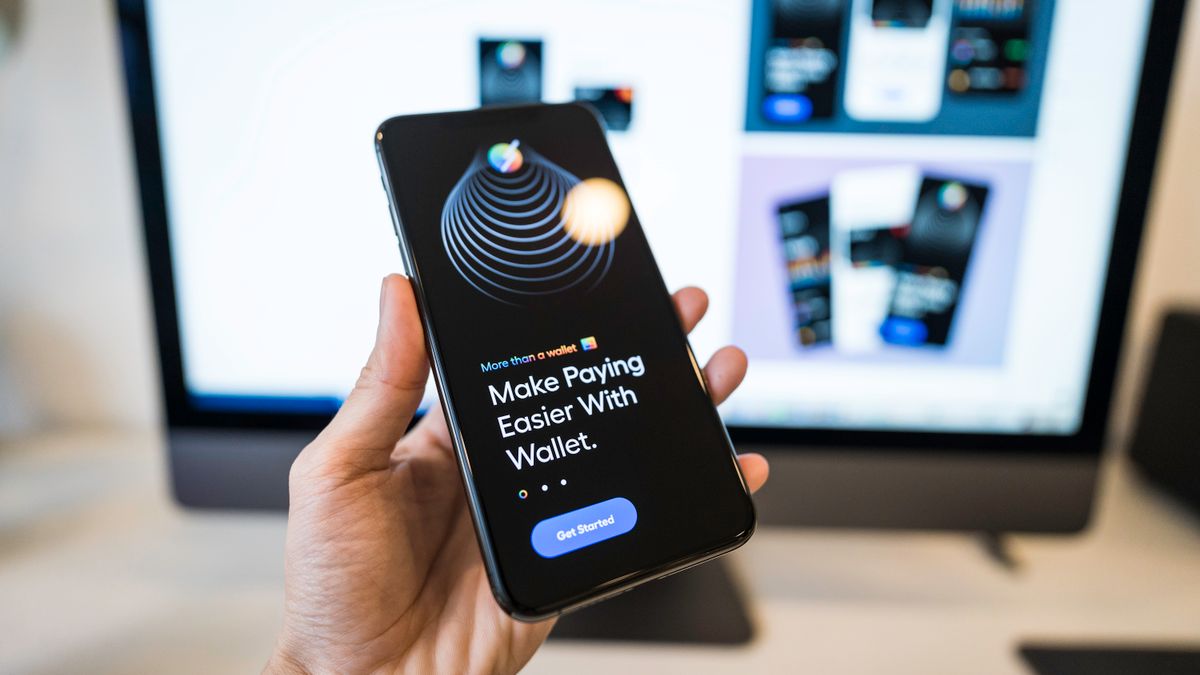
A clerk accepts a document because the clerk has a reason to trust its issuer and can see that the document describes the person standing at the counter. A digital identity wallet tries to make the same judgment possible on a website or at a digital reader. The difference in a well-designed exchange is how much of the original document has to travel. An organization that checks an age threshold could receive a verified answer without collecting a home address or full date of birth. Another organization may genuinely need a legal name to complete a regulated transaction. The useful habit is to read the request as a set of claims and ask what will happen to each of them.
The simplest documentation for an organization can be a table pairing a specific request with its purpose, recipient and retention schedule. Review a change to that table just as you would review a new form field. A request that becomes optional should remain optional in the actual interface as well as in the notice a person reads before deciding.
Name the participants in an exchange
Consider a fictional student named Alex who wants a lower subscription price. A university issues a credential that says Alex is currently enrolled, with a defined expiry. A compatible wallet holds the credential and can present an appropriate proof. The subscription provider receives the proof and decides whether it trusts the issuer and whether the proof qualifies. The university, wallet and service each have a different job. The wallet did not grant enrollment, and the subscription provider did not decide which facts the university certified. A consumer can investigate these dependencies by following the request back to the institution whose authority matters.
A credential may attest to identity, a role, an address, a license, or eligibility for a program. A photograph of a document may display those details but lacks the same interactive proof and verification process. A verified digital credential lets a compatible service check properties such as integrity and issuer trust according to its framework. That verification still has a scope. Being able to authenticate the issuer does not establish that a credential has the right legal effect in every place, that the requester needs every attribute, or that the same wallet can present it through every device. Write down the actual job before considering a new wallet installation. A student discount and a passport control checkpoint have different acceptance requirements.
Read requests before sharing
Begin with the relying party, the organization requesting the proof. Check that its identity matches the service you intended to use. If the request was initiated by scanning a code in a browser, look at the browser tab and make sure you opened the genuine service intentionally. Treat unsolicited prompts separately. A message asking you to verify a wallet using a code could lead to a new exchange or an unfamiliar site. Open the service by its known address or app, and initiate a fresh one if needed. A real organization can make a request unrelated to the task you thought you were doing, so recognition alone is insufficient.
Read the list of claims and identify the ones relevant to the task. A simple quiz helps. If the prompt asks whether you are old enough to access a feature, could it accept a verified threshold result? An application asking for a payment contract might need a name and a legal address. Some services receive multiple attributes because their processes were built for scanned documents. A request can have optional details or offer another way to verify the same fact. If the app displays a summary of what goes out, pause before approval and check how it handles optional fields. When the request is too broad, see whether you can cancel safely and use a supported lower-disclosure path. Keeping a copy of the recipient and time, where appropriate, helps when it is necessary to ask what was collected later.
Understand what selective disclosure changes
The Commission describes the EU Digital Identity Wallet as a way to make permitted identity claims and present credentials with control over the information shared. Selective disclosure can reduce the amount of information a recipient receives in a particular exchange. A system that only needs to know somebody is older than a threshold can potentially obtain that result instead of a copy of a full identity document. The design of the credential and the service's implementation determine how precisely claims can be requested. A wallet screen indicating that one fact was shared is more informative than a blanket message that says only that verification succeeded.
Think about what happens after the screen closes. The service might record that a verification succeeded and correlate it with the account session, timestamps or other details already available to it. A minimal presentation can lower the sensitivity of the shared information even when the resulting action remains associated with an account. The wallet's own diagnostic records, the operating system, and the organization receiving the proof can have different privacy controls. Read the relevant notices when making an important decision, including how long a recipient expects to retain evidence. A promise about the credential format alone cannot explain what an organization does with a result.
Follow the EU rollout one service at a time
The European Digital Identity framework requires Member States to make wallets available on the rollout timetable described by the Commission. The Commission has associated national wallet availability with the end of 2026. Users are meant to have a voluntary way to identify themselves and present supported credentials across participating services. That timetable and the work on common technical standards make 2026 a practical year to start checking official national pages. Wallet availability, credential issuers and the services that accept a particular presentation can have separate milestones, and they can vary by country and use case. A demonstration in one sector is evidence that a workflow can be built, rather than a universal acceptance notice.
Follow your issuing authority's website to its official download channel and verify the supported device platforms. Identify the authority you would contact if a credential showed an error. Before relying on a mobile document abroad or at an in-person counter, ask whether that particular type of presentation is accepted at the destination. An airline check-in document, national identity proof and driver's license can each have their own rules. Keep required physical documents until the organization responsible says the digital method is sufficient for your situation. Service integration is easier to learn in a normal test than while the only person who can help is closing a desk for the evening.
Make recovery part of the initial setup
Plan for a broken screen, battery depletion and a replacement phone. A credential might be tied to a device, linked to an account, or recoverable only by asking the issuer to reissue it. A wallet backup can contain settings and still require identity verification before it can restore particular credentials. Check the documented steps using a spare trusted device or a practice credential where possible. Record the official way to revoke or suspend lost credentials, along with any device lock procedure you already rely on. Avoid testing by deleting the only current credential on a device you need to use that day.
Keep access to a recognized recovery method separate from the last working phone. If a service offers a choice of a backup physical token, printed reference or in-person recovery, check the owner's obligations and paperwork for each. Someone helping a parent or another relative can prepare a simple contact list and identify the locations of important physical documents without taking control of the owner's credentials. Agree on what a helper can do and when the owner must act. A recovery routine should remain usable when both the wallet and the email account normally accessed on that device are temporarily unavailable.
For service owners, test with reluctant users
An organization integrating a wallet should first list the attributes necessary to complete each business action. Invite people to try the proposed flow with devices set to different languages or text sizes, including readers who prefer another identity method. Test refusal, cancellation, expiry and a request returning an acceptable result without extra information. An applicant might see a completed verification in the wallet and no visible progress on the relying service. Include a way to distinguish waiting, success and failure and do not leave the person wondering whether repeated attempts will produce duplicate submissions. Support staff need language that explains the next action and does not ask callers to send documents into unapproved channels.
Confirm that a refusal to share optional data does not prevent a person from completing an equivalent flow when the business can do without it. Keep a stable identification path for users whose device or credential is outside a pilot and clearly describe it before the wallet prompt appears. Test the recording and retention of results with examples containing no real personal information. Product teams can review the complete request, the information received and the logs produced by the same transaction. That path explains whether the service has reduced collection in practice and whether a customer can establish what they shared.
A wallet becomes useful when a person can predict the exchange. Start with an ordinary submission where the stakes are low. Identify who issued the proof, who receives it and which facts leave the device. Then check that there is a reasonable way to stop, recover or use an alternative. Those questions remain useful as rollout schedules, device options and the list of accepted credentials keep changing.