Standards
How to Verify Bluetooth LE Audio Before Buying Earbuds
Match the sender, receiver and listening mode, then test calls, reconnecting and optional Auracast where you use them.
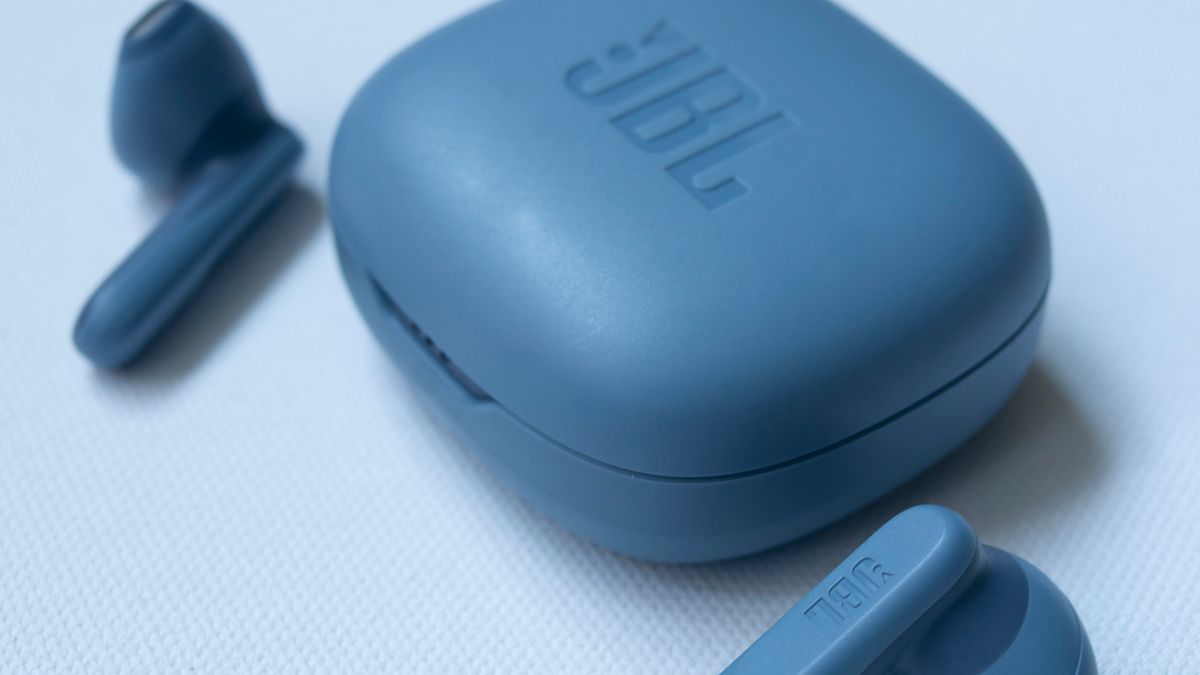
A new pair of earbuds can charge correctly, pair with a phone and sound excellent on a familiar playlist while never using the feature that convinced someone to buy them. Bluetooth LE Audio describes a set of audio capabilities that must make sense at both ends of the link. The earbud package, phone specification and operating system settings can describe different parts of the route. Decide what kind of listening you want before reading logos. A call from a laptop, a private stereo stream and a public broadcast have different requirements. The most useful answer is a small list of tested combinations you can use, including which ones merely connect using a familiar fallback.
If you use an assistant app to find broadcasts, test it when the phone is locked and after a normal restart. An accessible introduction on the venue's instructions can explain which controls to expect. The best time to find out whether the assistant is needed for every reconnect is during a trial when there is time to ask for help.
Start with the direction of the sound
For private listening, your phone or computer normally sends audio to the headset. During a call, the microphone needs a path back. A television may send sound but have no reason to accept a headset microphone. Earbuds can also support companion software, simultaneous device connections or volume control independent of how the audio itself travels. Make a grid with one row for each source and one column for music, microphone calls, television and broadcast listening. State which uses really matter. A student may care about a laptop microphone and access to a venue's broadcast rather than simultaneous calls on two phones. An advertisement that speaks about audio support in general leaves those distinctions to you.
Bluetooth SIG describes LE Audio as operating on Bluetooth Low Energy and using the LC3 codec as a foundation. Classic Audio uses a different set of Bluetooth audio arrangements. Some products support both and can select an available route for a given device. A Bluetooth version number can indicate that some underlying technical capabilities are possible. It cannot establish that the device maker implemented a particular audio profile or that your operating system exposes it. For a specific purchase, find documentation explicitly naming LE Audio for the phone model, computer adapter and receiving device and describing any required software. A computer with a capable radio can depend on its driver and operating system settings. Read the system requirements alongside the earbud model page.
Check the features that travel together in daily use
Codec support needs compatible endpoints, and audio routing depends on the profiles and controls the software has implemented. A headset could connect reliably for playback from one source while a required call mode uses another route. Make the first test unambiguous. Disconnect other sources temporarily, pair the headset using the supported controls and play a familiar short audio clip. If the operating system exposes a status or setting for LE Audio, inspect it and record what it says. A menu for enabling a feature may establish eligibility without saying that the current connection uses it. Manufacturer documentation can explain whether a change requires forgetting an earlier pairing, updating firmware or restarting a device.
Then make a microphone recording in an application that lets you select the input. Confirm that your own assessment of the sound is coming from the microphone in the headset and not the laptop across the room. Watch the device list while an ordinary call begins and ends. Check whether the microphone reconnects after a mute and whether hearing a second notification disrupts audio. A change in perceived quality during a call can follow from different bandwidth, processing or profile choices. Keep a recording made with test material if you want to compare it with another device. Promise yourself one modest test outside a quiet room as well. A call from the kitchen or a busy shared office can reveal how well the headset and microphone arrangement fit the work even if every expected feature appears in the settings.
Treat Auracast as a separate acceptance question
Auracast broadcast audio extends the LE Audio family to scenarios where a transmitter makes audio available to compatible receivers. Imagine a waiting room where several people want to hear a television without turning it up for everyone. A receiver can tune to an offered broadcast with a compatible way to discover and select it. Depending on the equipment and workflow, a phone or other assistant may help select the stream. A pair of headphones that supports ordinary LE Audio playback will need specific broadcast support for this job. Check the job of each component and the documentation for the exact models. A product that receives broadcast audio does not automatically transmit it.
If you are trying to hear a venue stream, ask the venue what receiver and selection method it supports and how a visitor identifies the right program. Determine whether the broadcast is open or needs information provided by staff. Test with the volume low. Walk a normal route within the venue without assuming the sound reaches every corner equally. For a home use case, arrange a private trial with a known compatible transmitter and receiver rather than relying on a TV settings label. A menu supporting headphones for a private connection does not guarantee a broadcast mode. Ask whether a hearing device requires a particular adapter or workflow, and get official guidance for equipment where consistent access to sound matters.
Use a small set of listening comparisons
Create a ten-minute trial using a spoken clip, quiet music and a short video with visible speech. Use the same volume and same sound-processing settings where possible when comparing devices. Equalizer, transparency, active noise cancellation and fit affect the result. A change in sound is not a reliable indicator of which transport is active. Note perceived delays during a video and try the actual application you use for calls or games. A film app can account for some playback delay while a real-time interactive task feels different. Switching from phone to computer can also involve an audio application changing outputs, which can be mistaken for radio trouble.
Try reconnecting after you return the earbuds to the case and open it again. Note which source receives them and whether each earbud works by itself if that matters to you. Test a few minutes while walking through the places you listen. One headset can behave well in a quiet room and have difficulty when surrounded by people and radios. A headset used for commuting may need a predictable pause control and enough uninterrupted operation for that trip more than it needs a new codec. Write down the observed results while they are fresh. A weekly annoyance such as a manual reconnect can become a bigger purchase consideration than a specification you use only twice a year.
Keep firmware, fallback and batteries in the test
Software requirements can evolve after a device ships. Use official update tools and read the change notes rather than assuming any new firmware adds every audio mode. Record the firmware and operating system before a test, together with a way to undo ordinary pairing changes. If an option appears only after you enable a beta system setting, treat the result as conditional and make sure your everyday workflow can survive an update. Review the return period early so you have time to verify the intended devices. In a shared household, test a second account or handset if another person also needs to use the headset, with their permission and no need to share account access.
Battery runtime can also differ across features and conditions. Test one representative session with the same fit, processing settings and source you expect to use. A retailer's runtime value might come from a named playback mode with microphone and noise control disabled. A teacher speaking into the microphone for several hours has a different load. Observe how the case, headset and operating system report charge, whether a low-battery notice interrupts the program, and how long a short charge restores usability. Keep a known usable fallback connection for the tasks where failure would be expensive. A dual-mode headset can be attractive when one source remains on Classic Audio and a newer one supports your chosen LE Audio feature.
Before relying on the microphone for a long session, also check how the device reports its physical mute. The app icon may refer to the software input while a button on the headset changes the headset's own state. Test both with a private call. Knowing which mute control governs which signal can spare you a meeting spent tracing a silence neither end expected.
Choose by naming what has worked
At the end, summarize the tests in one paragraph. For example, music works through the documented LE Audio mode on the phone, calls are stable on the laptop using its supported mode, and the venue's broadcast still requires a different discovery method. Those statements are more informative than a list of version numbers. If a retailer offers a demonstration, ask to perform the live pairing or broadcast selection that your work needs. If you cannot test the feature yet, treat it as a future possibility when comparing what you will pay today.
Keep the note after buying. In six months a phone replacement, software version or unfamiliar transmitter will change one side of the connection. This record lets you test the changed part without rebuilding your understanding from scratch. Headphones and their controls can now support a wider range of listening arrangements. The one that matters at the moment is the path that carries the sound you need, on the devices you own, with a way back when somebody changes the setting.