Infrastructure
What the Last Mile of a Fiber Connection Really Includes
Follow the cable from the provider to your router and find out what to confirm before ordering internet for an apartment or house.
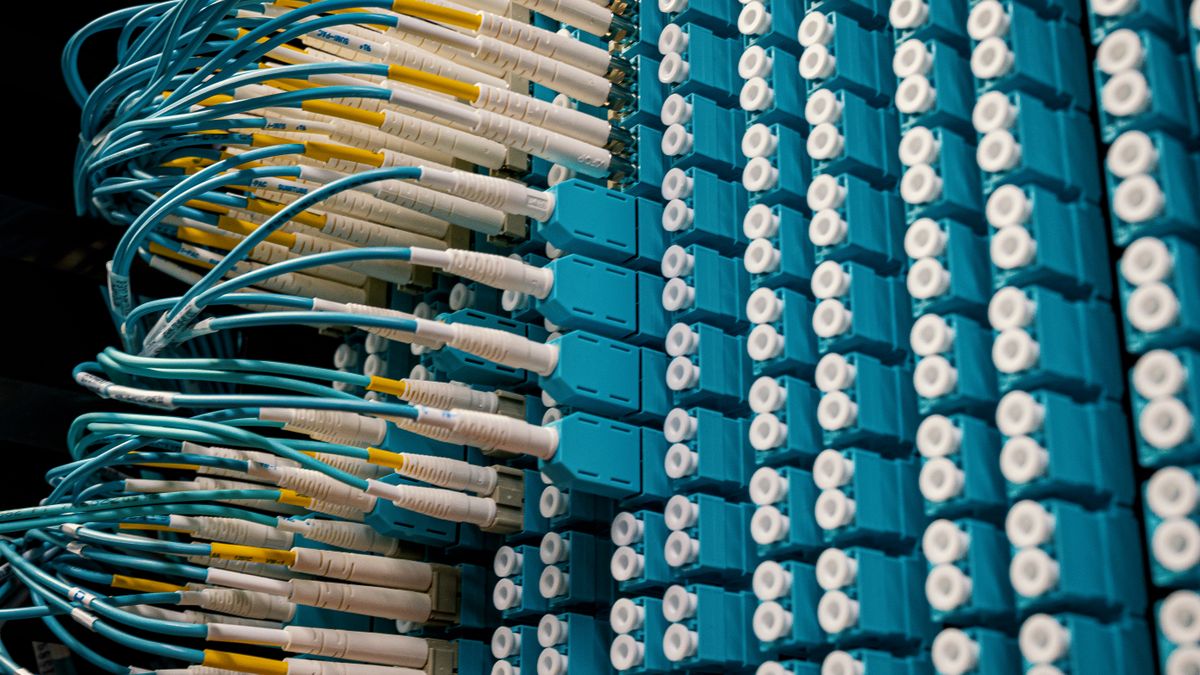
Two neighbors can subscribe to products that use the word fiber and receive very different installations. The first gets a thin optical cable terminated inside the apartment. The second plugs a supplied gateway into an existing coax outlet while most of the provider's route through the neighborhood is optical. Depending on the way each network is sold, both households may hear about fiber on the ordering call. Before comparing speeds or scheduling an installer, follow the signal to the point you control. The final stretch often explains the work you need to arrange, the equipment you can reuse, and the upgrade path that actually reaches your address.
One last check is the location of a usable outlet during a maintenance visit. A terminal mounted behind a closed bookcase can be inconvenient both for cooling and for inspecting status lights. Leave enough accessible space around approved equipment and keep the installation instructions with your notes. That makes room to look for evidence without pulling a fragile cable simply to see the labels.
Identify the handoff and its location
Start by asking where the optical cable ends. Fiber to the premises generally means that an optical path reaches the property or unit and an optical network terminal converts that signal for local equipment. Look for the actual handoff where you will connect a router, which may be an Ethernet port on the terminal or part of a combined gateway. In a multi-unit building the conversion can instead take place in a shared telecom room. The link into individual units may use Ethernet cabling, coax or telephone wiring. There is nothing inherently wrong with reusing a healthy wired link that supports the expected plan. The distinction gives you a realistic picture of your installation and a place to begin diagnostics later.
Describe the existing setup without guessing from a wall plate. A plate with an Ethernet jack could lead to a resident's switch, a shared equipment room, or a short cable left behind by a previous tenant. An optical wall outlet might have no live service. A photo of the provider's terminal, the location of any serial labels, and the port used for your router can help a support team identify a previous installation. Avoid unplugging thin optical leads to investigate. Fiber connectors can be damaged by dust and tight bends, and handling the provider side adds avoidable uncertainty. Ask the provider to verify the address and unit number, especially when the house shares a parcel or building entrance with another address.
Learn what your street shares
Many residential fiber deployments use a passive optical network. A powered device in the provider's network communicates with multiple subscriber terminals through passive splitters. Those splitters need no local electrical supply. Upstream transmissions on a shared optical path are coordinated, so multiple households can use it without talking over one another. The shared capacity and engineering choices still matter. A different design might run a point-to-point line, or distribute service through an active Ethernet switch. You can ask which architecture the offer uses, though the provider may disclose more about plan characteristics than details of its access network.
A shared optical segment does not tell you by itself how often performance changes or how noticeable it will be. The kind of traffic households generate varies, and the service has many other shared links. At a different scale a provider's interconnection with a popular video service can be busy while the optical path itself has capacity to spare. Gather the published typical download, upload and latency figures when available. If you can speak with a subscriber served by the same building equipment, ask whether their connection regularly falls below expectations and whether their measurements were wired. A speed complaint from one device on the far side of a brick wall says little about capacity on the street.
Draw the path through the property before the visit
Installers need an approved way to bring the cable into the building and reach a practical equipment location. Mark the external entry, electrical outlets, existing conduits and the spot you want for the router. The best place for the optical cable to end can differ from the best place for wireless coverage. A utility closet might be easy to reach from the street while a shelf near the center of the building provides much better coverage. A short Ethernet path can bridge the two. Ask which part of the job the installer includes and who is responsible for any additional internal cabling.
In rental or managed buildings, find out what permission or access is needed for cable routes and telecom rooms. This might involve a resident, building manager, homeowner association, or an owner of the adjacent lot. A flexible appointment will not fix a locked riser. Confirm the policy on holes, surface-mounted cable and fire-rated penetrations before anybody begins work. If two installation layouts seem plausible, take photos and note the length and location of each route. Do not assume the existing conduit is empty or available for another service. Keep a route drawing and equipment labels after installation. When you later move furniture or repaint, you will know which sections need space and how to reach an outlet or terminal.
Test the carrier link before testing wireless
Choose one computer with a wired adapter that can handle the plan's speed. Test through the supported router configuration first. Some plans require provider equipment, and a computer plugged directly into a terminal may receive no usable connection or lose protections the router normally provides. Check that all Ethernet links along the test path negotiate at the intended rates. A 1 Gbps port can cap a faster service, and faulty cable or settings can make a port negotiate at a fraction of its expected rate. A large download from a known nearby source as well as a short speed test can tell you whether performance is consistent for the kinds of files you use.
Test upload and latency when the connection is idle, then repeat while uploading a large private test file to storage you control. Note whether your regular calling or gaming applications become less responsive. Use an endpoint that can keep up with the rate. An old laptop copying from a slow external disk may finish late even when the network has spare capacity. For wireless, test in everyday locations using the same endpoint and record the band or access point if you can. Be careful drawing conclusions on a single test taken only minutes after an installation. Write down the plan, linked device, direction, time and result so you can reproduce a disappointing figure when contacting support.
Consider what stays powered when things go wrong
The fiber cable itself does not give your router electrical power. Both the local terminal and router generally need power, as may a switch between them or a managed gateway in the building. Where equipment is boxed off in a property manager's room, ask what happens there when the building loses power. A power pack at your desk can keep your computer and router running while the network on the other side of the wall stays dark. For an outage test ask how to do it without disturbing safety equipment or unplugging provider-owned gear. Call a property manager if the building controls that part of the path.
Also ask how a failed box is diagnosed and replaced. Is the terminal included in the subscription, and can you replace it with a model from a retail store? Typically the provider controls provisioning of the optical terminal. A separate Ethernet router can sometimes be replaced more freely, subject to the plan and any authentication requirement. The answer affects how long an inconvenience may last. Record the support channel, account identifier, device models and photos of normal status lights outside the device itself. Should a trip across town be needed to reach support, you can bring the details with you. A few minutes collecting the information when the installation is healthy can save an indecipherable phone call later.
Compare the complete offer at your address
For each provider, record the price after any introductory period, equipment costs, install fees and whether a contract or repeated billing discount applies. A headline rate can require a particular payment method or bundle. Compare upload separately with download. Compare typical latency or collect the practical details the provider publishes, especially if you run interactive applications on a real schedule. In the United States, the FCC's broadband consumer labels offer a standardized place to look for several of these figures. Elsewhere, ask the provider for equivalent plan documents and an address-specific quote that remains valid through your move date.
Choose an installation that fits the property, an upload rate that finishes the work you do regularly, and a finish date that leaves room to resolve access problems. If a provider offers only a broad coverage map, confirm the actual suite or unit before canceling existing service. Construction on the street and an availability result at the address above yours both sound encouraging. Neither proves a working socket will be ready to take your call from home next Monday. When your decision includes the cable path, equipment and backup plan, the product name becomes one line in a more useful comparison.
After the first bill, compare the service description with the quote you kept. Save the date of installation and the result of one clean wired test. If you subsequently add a faster router or run Ethernet to another room, repeat the same test first and after the change. That modest baseline gives you a way to tell whether work inside the home improved a weak link.