Infrastructure
The Five-Year Cost of a Home NAS
Price the drives, electricity, backup copies and restore time before judging a home storage server against a cloud subscription.
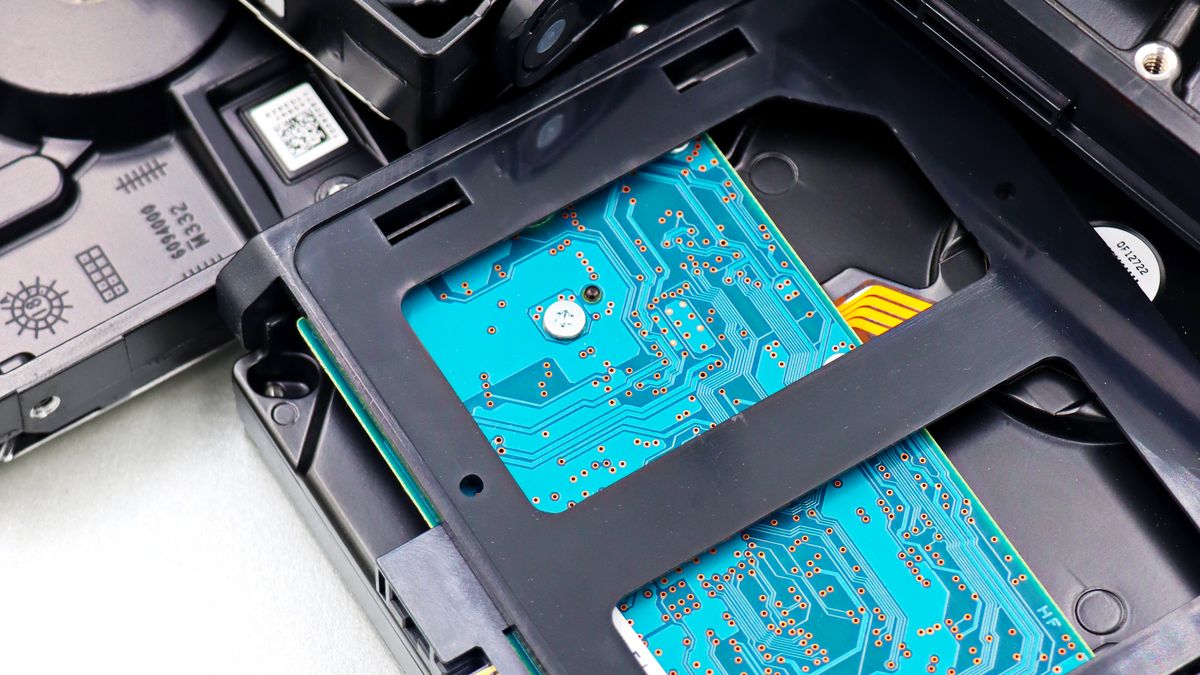
Take the price on an empty network storage enclosure and mark it as the first line in a spreadsheet. Price every disk you expect to buy. Add a backup drive and somewhere safe to keep it. Think about how you will replace a failing disk on a Tuesday when the family photos are needed on Friday. A home NAS can be an excellent place for documents, photographs and a shared media library. Its strengths become clearer when you price and plan the entire storage arrangement. Here is a way to make a five-year comparison that includes both the cash leaving your account and the work you are agreeing to take on.
Separate the files you keep from the space you advertise
List each kind of file and measure it. Scan the family photo folders, shared documents, raw camera files, device backups and any movies you are allowed to store. Group items by whether you genuinely need them on the NAS, whether someone must recover them after deletion, and how much new material arrives in a normal year. A laptop backup can roll forward with retention rules, while a collection of original photographs may grow permanently. If you have five years of photo folders, measure each year. A rough growth range from actual folders tells you more than assuming the same amount for every year.
Work in consistent units. Drive manufacturers typically express capacity in decimal terabytes, while some interfaces display powers of two and label them differently. An 8 TB disk has eight trillion bytes before formatting. Two such drives mirrored provide roughly the capacity of one drive, with additional space used by the filesystem and features such as snapshots. Pool choices have other capacity and failure characteristics, so confirm the calculation with the product's guide. Keep room for growth and for administrative tasks. A unit that constantly runs with an almost full filesystem can leave little space for snapshots, file moves or temporary projects. Use a conservative space estimate in the first comparison. Change the growth assumption separately and see how soon it requires another purchase.
Account for the quiet bills
Price the enclosure with the network ports and bays you actually need. If several people copy large files at once, record the expected throughput and whether your computers, Ethernet switches and adapters support it end to end. An enclosure advertising two fast ports does not make a slow client or wireless room any faster. Buy enough capacity for an identifiable use rather than an abstract maximum. An older household desktop can work for low-risk data, but record its age, standby draw and what you would do if a power supply failed. A second-hand system is only a saving if you can operate it in the place it needs to live.
Measure wall power using a suitable plug-in meter after the system is running. Include the disks and adapter. A plausible example is a device averaging 25 watts over several representative days with the storage left on. It uses about 219 kilowatt-hours in a 365-day year because 0.025 kilowatts multiplied by 8,760 hours equals 219. At a hypothetical price of 0.20 per kilowatt-hour, that means about 44 in electricity each year, before any change to a local rate or schedule. A machine used only for a nightly backup might draw less average energy, while a busy media server can draw more. Staggering automatic jobs or changing power settings can alter the number. Measure the actual pattern instead of copying the wattage on the adapter.
Give each important file another way home
A mirror helps service continue if one disk fails and the pool is otherwise healthy. It will reproduce a deletion, an overwritten photograph or other changes that affect both disks. Snapshots can help recover some previous states, but their usefulness depends on where they are stored, who can delete them and how long they are retained. A copy on a separate drive kept disconnected outside the backup window adds a failure boundary. A backup stored at a separate location can help with loss of the enclosure and the rest of the home. Decide which files justify independent off-site copies, and how often they need them.
Budget the media and the work to maintain those copies. A small encrypted off-site copy of personal documents may be inexpensive. Sending several terabytes off-site through a modest uplink can take days of continuous transfers or weeks of ordinary overnight windows. For a drive rotated to another location, price two drives if you want one to remain away from the home even during a refresh. Keep any recovery keys with trusted people or records separate from the protected storage. Estimate the time to restore a few files and, separately, the route to rebuilding the whole collection. Use copies you control for a test. An opaque backup application saying success does not tell you that the file you want is readable.
For a family splitting the bill, associate the cost of each fallback with a clear owner. One person can be responsible for rotating the backup drive while another receives a periodic reminder to test a restore. If either stops doing that job, write down how the responsibility changes hands. A backup system whose upkeep relies on someone's memory has a cost even if every service involved is free.
Prepare for replacement before the first failure
Read the enclosure's procedure for replacing a drive and migrating disks or a storage pool to a replacement unit. Older models eventually stop receiving updates, and compatible replacement devices can be harder to buy on short notice. Familiarity with the general filesystem may make access easier in some setups, yet encryption, pool metadata and configuration settings can still dictate what can be recovered elsewhere. Save configuration exports if supported and keep a record of disk order and serial numbers. When a vendor utility claims portability, test a restore on a spare machine or from an independent backup. It is easier to learn the process while both copies are intact.
For a budget sensitivity range, compare a year with no unexpected purchase to a year when you replace one drive. If a bad year also requires a new enclosure, what can your household postpone and what must be bought immediately? Carry an acceptable spare only if it meaningfully changes recovery time. Buying one during a discount can help, although spending on unused capacity can bring forward the next replacement cycle. A drive failure alert needs an owner who receives it and understands the first response. Plan a periodic check that tells you backups can still be read, and record where the installer and settings are kept for a household member who was absent when the system was set up.
Compare arrangements that solve the same problem
A cloud subscription might bundle remote access, trash retention and easy photo browsing. Its advertised storage tier does not automatically include all the capabilities a NAS user expects. A local server may offer quick access across the house and support private share permissions, but you then administer accounts and software. Compare which copy is primary and where a restore can come from. A cloud service that syncs local files may synchronize deletions. A provider with a recovery window may retain them only briefly. If several household members need access, check the actual limits for sharing, account recovery and what happens if the payer stops paying.
Consider a modest hybrid before comparing two maximum-capacity options. A NAS can serve a large working library while a smaller off-site plan protects originals and documents. A pair of local backup drives can serve somebody who only needs a regular copy from one laptop. On your spreadsheet, assign the same workload and restore goals to each option, then put convenience alongside costs. A household that travels frequently might value being able to retrieve a current document away from home. Another might value a local transfer that keeps a very large library usable on slow internet. Write down the day you would notice each benefit. Paying for a capability is easier to justify when there is a real situation waiting to use it.
Give the winner a half-hour recovery exercise
Pick an ordinary file from a different month and restore it into a temporary folder. Open the restored copy with the application the household actually uses. Then repeat with an older version and let another person follow your notes without the account owner's phone. Verify that the process still works if the NAS and its usual network address are unavailable. Record gaps without subjecting live storage to failures. The exercise costs little and can expose an expired subscription, a locked key or a folder that was never selected for backup.
Recheck the spreadsheet when storage growth, power rates or cloud tiers change. A family that bought the NAS for regular video editing might gain years of usability by moving finished projects to inexpensive archival drives. Another household might retire the enclosure after a move because a cloud share now solves most daily problems. The useful outcome of a five-year estimate is a record of what the system protects, what it takes to keep it usable, and when replacing one part creates more work than changing arrangements. That is a sounder basis for a purchase than the cost per raw terabyte printed next to an empty box.