Infrastructure
Size a Solar Backup for Your Internet Equipment
Measure the router, terminal and switches that need power, then test a portable battery against a realistic outage.
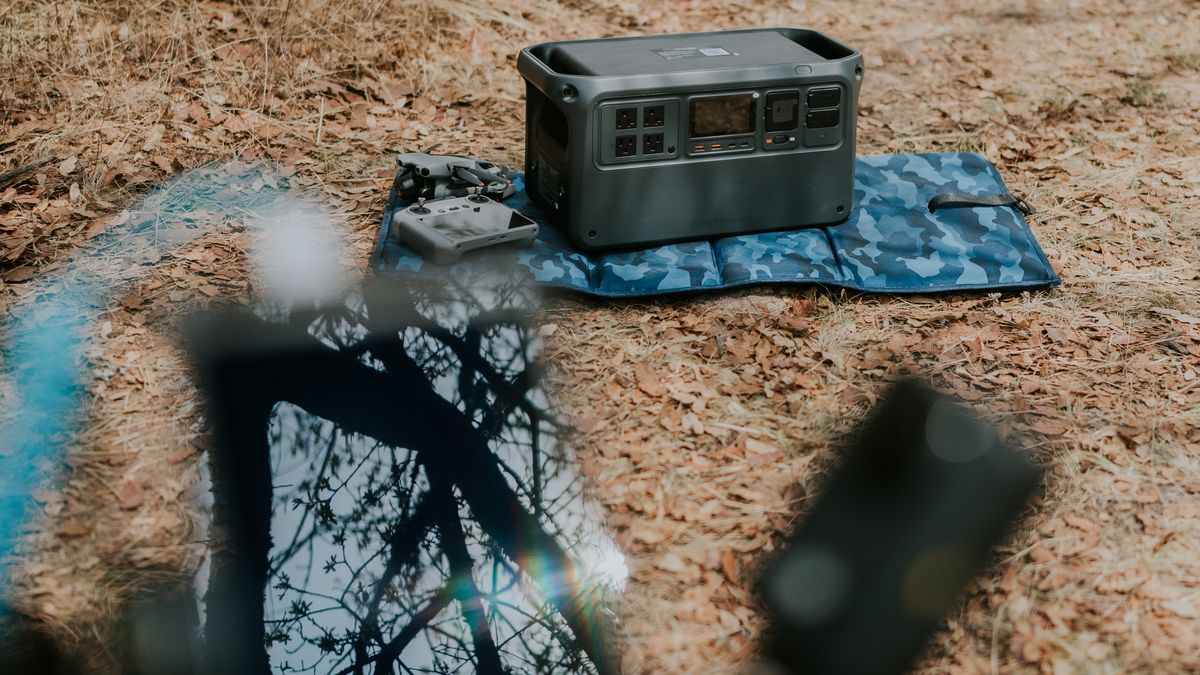
The path from a laptop to an internet provider may run through three wall adapters, a router downstairs, and a terminal in a cabinet nobody opens. During a power outage it is easy to give the visible laptop a full battery and still lose the service a minute later. A portable power station can support the missing equipment if it has enough usable energy and if the provider's network is operating. A compatible solar panel can extend the supply under suitable conditions. The calculations are ordinary. The useful part of the job is matching them to a real outage, including equipment that is far from the window or belongs to the building.
Find the equipment that makes up one usable connection
Start with the terminal or modem that the service provider installed. Follow its network cable to your router and identify any switch along the route. If you normally need a particular wireless access point to reach the working area, include its supply or check whether you can move closer to the router for an outage. On a fiber connection, the terminal usually requires local power to convert the signal. In some apartments a shared cabinet contains a switch or powered communication equipment the resident cannot reach. Call the provider or building manager before assuming a backup outlet in your unit is enough. Ask how the local provider equipment behaves when the area experiences a loss of mains power.
Photograph model labels and make a list by function. A separate router, optical terminal and small Ethernet switch might all have different adapters. There can also be a Wi-Fi system with remote nodes and a powered phone interface hidden in a larger service bundle. Only retain a device on the backup list if it is required for the work you plan to do. A wired computer at the router can often avoid powering a remote mesh node. Conversely, a router connected to an approved cellular failover device could need that device powered because the wired link might be down at the same time. Ask about network support before buying power for equipment managed by somebody else.
Measure at the wall and name your target
For AC-powered equipment, measure the normal load with a suitable plug-in power meter and the adapters you already use. Allow the modem and router to finish starting, then take readings during ordinary browsing and a sustained transfer. Some equipment consumes more when radios are active or ports are busy. The maximum printed on an adapter is designed for equipment selection and may be greater than observed consumption. For a rough plan note both the typical total and the highest reading you saw during ordinary work. Leave headroom for equipment starting together and check both continuous and surge ratings on the backup output.
Suppose a terminal averages 9 watts, the router 12 watts and a small switch 4 watts. The illustrative network load is 25 watts. Running it for six hours requires about 150 watt-hours delivered to the devices. Electrical conversion, a power station's own idle draw and the power management reserve can consume additional energy, so allow more than 150 watt-hours of nominal battery capacity. If you conservatively model 75 percent of the labeled energy as usable for that setup, a 200 watt-hour battery reaches the example's 150 watt-hour need before a cushion. These figures are for explaining the arithmetic. The power station and particular load determine what fraction you actually receive. Test the complete arrangement at home to learn the usable time before depending on it.
Think through charging during the hours you need
A panel's nominal power comes from defined test conditions. Real energy collected over an afternoon changes with cloud cover, shadows, surface temperature, the angle toward the sun, and the limits of the power station's solar input. A small shadow from a rail can affect a panel even when most of it is bright. The charging screen can offer a better observation than a full-day inference from the label. If the display reads 45 watts for an average of two useful hours, the input over that measured window is about 90 watt-hours before remaining losses. While charging, you may also draw energy for the connected devices. Check how the maker reports charge and load when both are active.
Read the battery's documentation for acceptable panel voltage, current, connectors and charging conditions. Use a panel and cables approved for the equipment and the environment. Keep a portable setup within its intended use, away from moisture, hot surfaces and places where people can trip over runs. A balcony rail or an easily opened window should be treated as a property and safety constraint. Never improvise a way to feed household wiring from a portable station. An installation that alters electrical circuits calls for the appropriate installer and local requirements. This guide concerns consumer equipment plugged into its supported outlets. A household that has no practical sunny placement may gain more runtime from added storage or a reliable alternative connection.
Compare a manual switchover with equipment designed for continuity
If a brief outage is acceptable, placing a charged battery where you can reach it may be sufficient. Write the order for connecting the necessary devices and note how long they generally take to reconnect. A modem or terminal may need time to identify its service. If the router begins before its upstream link is ready, it may take a further minute to reconnect. Rehearse with the equipment unplugged from mains and connected as directed, at a time when nobody depends on it. Check what happens to an existing voice call or remote desktop session. The network can be usable after reboot even though an active call could not survive it.
For continuous service, look for a device whose documented switchover behavior fits the network load. Some power stations have pass-through charging or an emergency power mode with a transfer delay. Networking equipment may restart if the interruption exceeds its tolerance. A dedicated UPS is designed around a stated transfer process and load range, but it also has finite runtime and battery-care demands. Verify whether all outlets are backed up and whether the power must be restored manually after full discharge. Some systems disable output at very low loads or after a configured idle period. Check behavior with the equipment you actually connect. A display that continues to show battery capacity says little about whether an outlet has turned itself off.
Keep the site's first connection point in mind when deciding where to put the station. It is tempting to place a station with its panel beside a bright window while the terminal a floor away remains unpowered. A practical route lets the house use the battery within its supported cord and placement limits. Check ordinary household traffic through the room as well as the power connections.
Carry out a short test and a long one
First, run a short test by recording the planned equipment, connection method and visible battery percentage. At a suitable time simulate an outage using the maker's supported test or setup. Confirm that the devices establish internet service and that the machines you intend to use can reach it through the practical connection. Send a file, check a call and open whatever local information helps you troubleshoot. Then try the safer fallback you have chosen if the wired provider is unavailable. A cellular hotspot may need good signal in a particular room, an appropriate data plan and its own power. It may also share local congestion or infrastructure with the home service, so assume neither path can guarantee availability under all conditions.
After the first check, run a test long enough to expose idle losses and any automatic shutoff. Record the load, battery indication and elapsed time at intervals, then note how long the equipment takes to recharge using its normal charger and an approved panel under representative sun. Compare the exercise with the purpose of the project. A short backup intended to send messages and end a work session has a different target from keeping an office online for a full day. Keep the test voluntary and avoid disconnecting medical, safety or building systems. If any equipment heats abnormally or has visible damage, discontinue use and follow its safety information. Reviews and capacity labels cannot replace the product's instructions.
Keep the plan easy to use without an internet search
Put a simple card with the adapter labels, order of connection and minimum runtime goal near the station. Include the alternate network details in a private place that can be reached offline. Give somebody else in the household the chance to run through a short practice without prompting. A useful plan also says when to conserve power. During an extended outage you might use an internet connection in short windows to send messages rather than leave it up all afternoon. If leaving it on continuously matters, record that as a load requirement instead of silently assuming everyone will remember to turn the system off.
Repeat the measurement after a provider upgrade or a move. A combined gateway may use fewer adapters, while an additional switch or wireless node can change consumption. Check the battery's maintenance and storage guidance and read the relevant recall information for equipment you own. The goal of the exercise is a specific number of usable hours with named devices and a second path if the line outside the house has failed. Solar charging earns its place when it extends that measured result under the conditions where you can actually set it up.